

Live batting time for cricket training

A fair hit in the nets for every player.

Cricket Training Timer automates batting time at training, so every player gets an equal chance to bat, regardless of when they arrive or how many nets are available.

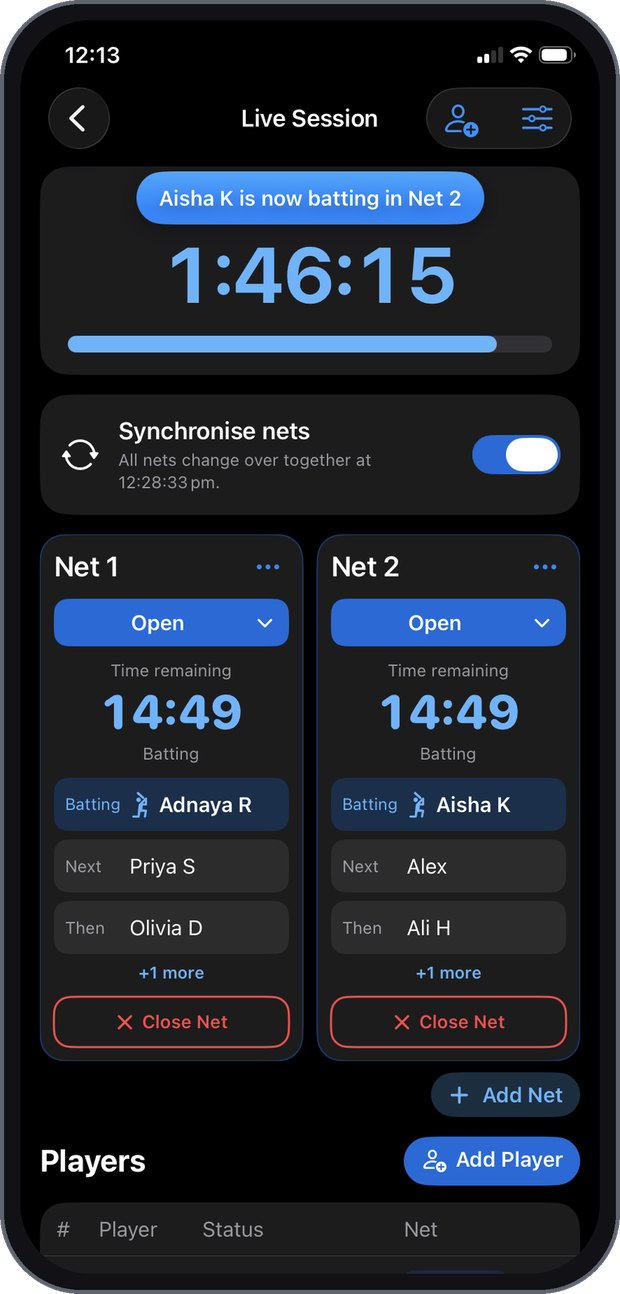
Club home screen Live session screen showing two nets, each counting down 14:49, with who is batting and who is next

The challenges

Running training sessions by hand

These challenges call for a more structured, automated approach to managing training, with fair use of the nets so players can focus on their training.

Inconsistent arrival times

Evening sessions start around the time most players finish work, and players arrive at any moment.

No real-time adjustment

Without a way to adjust on the fly, sharing batting time fairly is hard.

Limited facilities

The number of nets varies, which changes how many players can bat at once.

Volunteer management

Players or volunteers run the session while trying to train, and errors creep in.

No dedicated coordinators

Local clubs often have no staff to run sessions, so time management gets neglected.

Uneven batting time

Some players bat more or less than others, leading to dissatisfaction.

Administrative burden

Batting orders, timing and records take constant manual work.

Training quality suffers

Time spent managing the session takes focus away from skills and coaching.

The aim is simple: a fair hit in the nets for every player at training.

The app removes the manual management of training sessions, so every player gets an equal chance to bat, regardless of when they arrive or how many nets are available.

How it works

Set up once, then run each session

01

Create your club

Enter your club name and add players. Add players now or at any time later.

02

Set up the session

Choose the date, start and finish times, nets and changeover time, then add the players who have arrived.

03

Start the session

Batting time is calculated and counts down in each net. Add players as they arrive and open or close nets as you go.

Features

Key features

Automated time allocation

Fair distribution of batting time for all players, regardless of arrival time.

Real-time adjustments

Batting times update as players arrive or leave and as nets open or close.

Open and close nets

Change the nets in use at any point during the session.

Automatic net allocation

Players can be assigned to the open net where they'll bat soonest, or moved by hand.

Next batsman alerts

An alert when a player's batting time is approaching, so they're padded up and ready.

Live countdowns

Each open net counts down the current batter's time in minutes and seconds.

Changeover time

A short break between batters for safe transitions, 30 seconds by default.

Statistics and reports

Attendance and batting time by session and season, with export to CSV.

Inside the app

The app at a glance

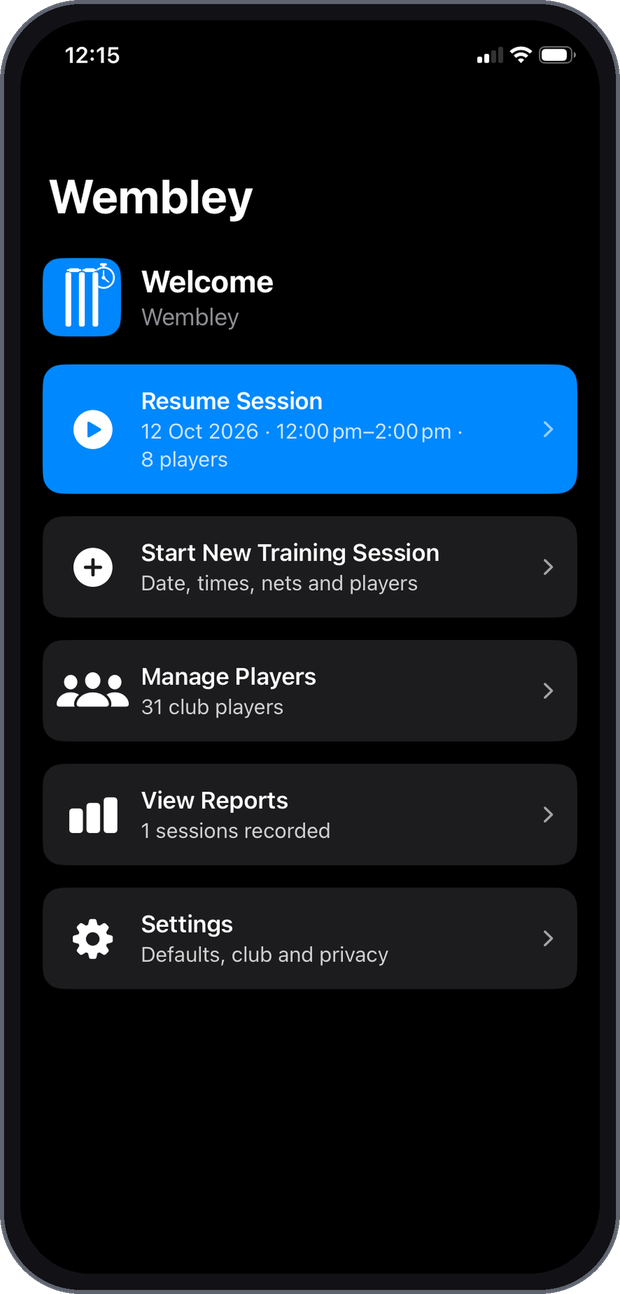
Club home screen with resume session, start new session, manage players, view reports and settings
Club homeEverything starts from here
Live session screen with a countdown for each open net
Live sessionA card for each open net
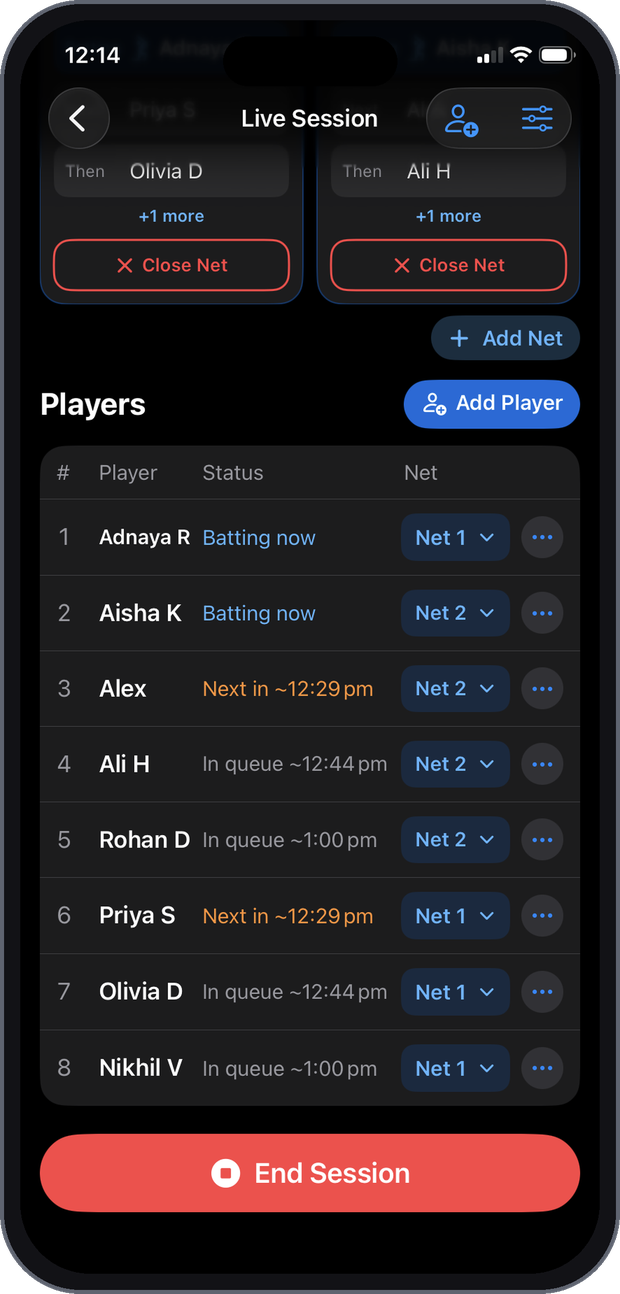
Players list showing who is batting now, next and in queue
Players listEvery player, their status and net
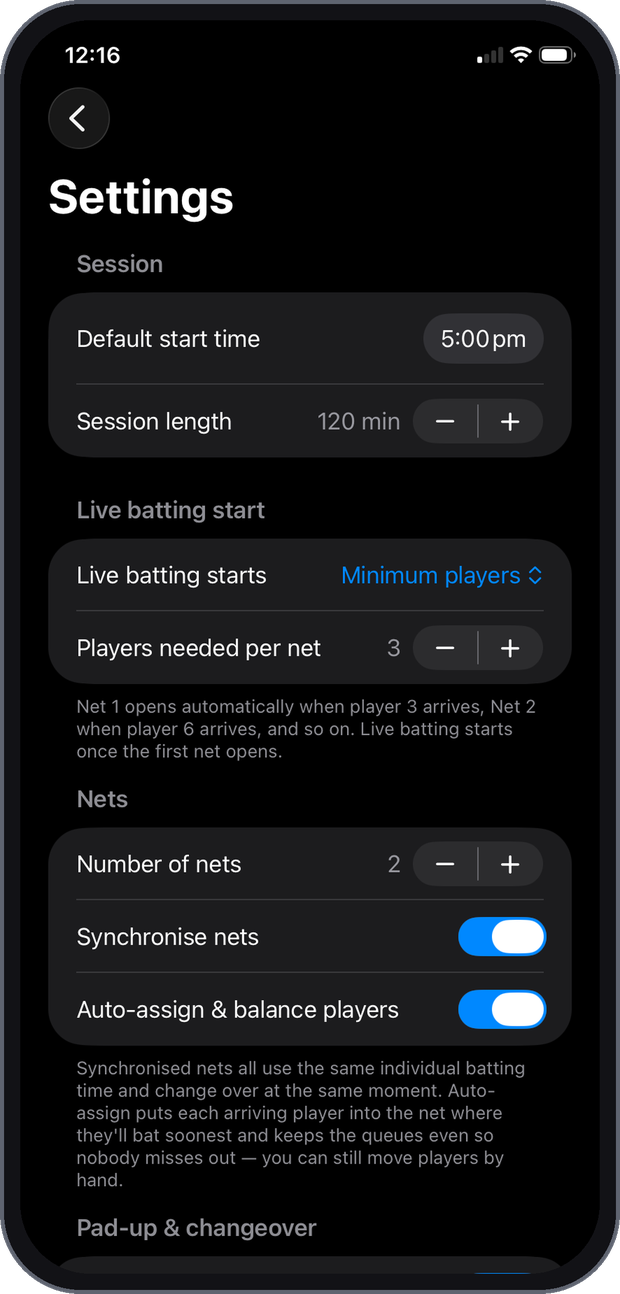
Settings screen with session, live batting start and nets options
SettingsYour usual training settings

Pricing

Free and Pro

Free

$0
  • 1 net per session
  • Up to 6 players per session
  • Live countdowns and next batsman alerts
  • Session reports

Pro

A$9.99one-off
  • Unlimited nets
  • Unlimited players
  • Export reports to CSV
  • Everything in Free
Download on the App Store Free download for iPhone.

Pro is a one-off purchase through the App Store, with no subscription. Local prices may differ outside Australia.

Privacy

Your data stays on your phone

No account neededNo sign-up, no password and no email.
Never sent anywhereStored only on your phone. No tracking and no ads.
Delete all dataRemove your club, players and reports at any time from Settings.

Read the full privacy policy.

FAQ

Tips and questions

Do players need the app?

No. One phone runs the whole session.

Does it need internet?

No. Sessions run entirely on your phone, so poor reception at the ground isn't a problem.

A player arrived late.

Tap Add Player on the live screen. They join the queue and batting times update.

A player has to leave early.

Check them out of training. If they come back, choose Back at training.

Can I set limits on batting time?

Yes. Set the shortest and longest time each player should bat. If there isn't enough time for everyone to reach the minimum, everyone still gets a turn, with the time shared as evenly as possible.

Is it a subscription?

No. Pro is a one-off purchase through the App Store.

Contact

Need more help?

Email us about the app.

jace_kayne@hotmail.com Email us
The story behind the app

Cricket Training Timer was first developed in 2022 by Jack Payne, a club cricketer in Perth, Western Australia.

At evening training, players arrive at different times, the number of nets varies, and the session is often run by players who are trying to train at the same time. Keeping track of who has batted and for how long is hard, and some players end up batting more or less than others.

The aim was to remove the manual management of training sessions and automate batting time, so every player gets an equal chance to bat.